
Your keys, kept local
Keys are created and stored on your own device — never on a server. Nobody holds a second copy, and nobody can move your bitcoin without you.

 AirBitz Wallet — a simple, secure Bitcoin wallet for Windows, macOS and Linux
A simple home for your cryptocurrency.
Built around you, not the other way around.


 Windows·
 macOS·
 Linux
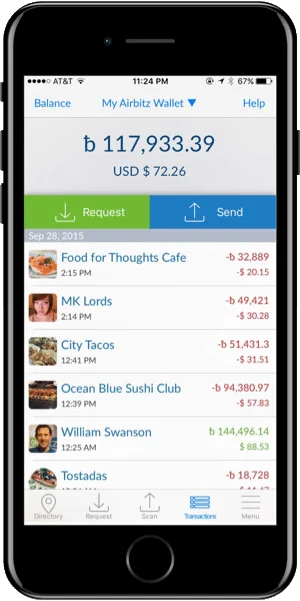
Bitcoin should feel simple. AirBitz brings a straightforward approach
to the way you manage your cryptocurrency.
AirBitz started with a simple observation: managing your cryptocurrency shouldn't require a manual. From the first screen, the wallet focuses on the essentials — send, receive, and keep track of your bitcoin — without burying them under menus, settings, and jargon.
Ownership sits at the center of the design. Your keys belong to you and stay on your own device, not on a server somewhere. AirBitz gives you clear tools to back them up and keep recovery information private, so you remain in control of your funds at every step.
The wallet runs as a desktop application for Windows, macOS, and Linux — one familiar experience across platforms, with plain-language documentation for security, backups, and recovery. Everything a first-time user needs, and nothing they don't.
See what the wallet doesThe everyday essentials, with a focus on simplicity.
Four things the wallet does well.
Keys are created and stored on your own device — never on a server. Nobody holds a second copy, and nobody can move your bitcoin without you.

A personal passcode keeps the wallet shut while it sits on your computer. Open it when you need it, close it when you don’t — nothing happens in between.

Your balance, your address, and your history stay on your machine. The wallet is yours to open, and yours alone — no accounts, no sign-ups, no waiting.

A backup code, written down once, is all it takes to restore your wallet on another computer. Keep it somewhere private — it is worth more than the device it came from.
Curious how it all fits together? The documentation walks through keys, backups, and recovery in plain language.
A simple experience starts with understanding the basics. AirBitz keeps the parts that matter close to your computer — your keys, your backup, your balance — and leaves the rest out of the way.
Everything below is described in plain language in our documentation, from the first backup to restoring a wallet on a new machine.
The wallet is built around bitcoin: your balance, your address, and your transactions.
Private keys are created on your own device and stay there — not in a cloud account.
Recovery information is written down once, in plain language, and kept in your hands.
Windows, macOS, and Linux get the same screens and the same wording.
No sign-ups and no profile — the wallet works without an account.
Documentation covers keys, backups, and recovery in everyday words.
Choose your desktop — Windows, macOS or Linux. Find your wallet.

Installs like any other desktop program and keeps everything on this machine.

Built for the Mac — the same simple screens, with your keys kept locally.

One application for your Linux desktop, with your keys kept locally.
Keep your recovery phrase private and offline. Read the documentation before moving any funds.
Seven questions people ask before installing anything. The short answer to most of them: your keys, your device.
Read the documentationAirBitz is a Bitcoin wallet for your own computer. This site introduces the wallet, explains how it works in everyday words, and gives one place for documentation and downloads.
Your keys are created on your device and stay there — never on a server. Nobody can move your bitcoin without you, and nobody can recover it for you either. The backup you write down is the only way back.
Windows, macOS, and Linux. All three get the same screens and the same wording, so a wallet set up on one behaves the same on another. Desktop downloads are available from the Download page.
No. There is no sign-up, no profile, and no password to hand over to anyone. The wallet works with the keys on your device, and that is the whole relationship.
It is a short list of words that rebuilds your keys on another machine. Write it down once, keep it offline and private. Anyone who reads it can spend your bitcoin; anyone who loses it cannot get it back.
From the Download page — Windows, macOS, and Linux. The phone versions for iOS and Android are not active at the moment, so anything in an app store today is not ours.
The Documentation page — the first backup, restoring a wallet on a new machine, and how to keep your recovery phrase private. It is also worth sending a small test amount before anything larger.